What Is Client-Server Architecture?
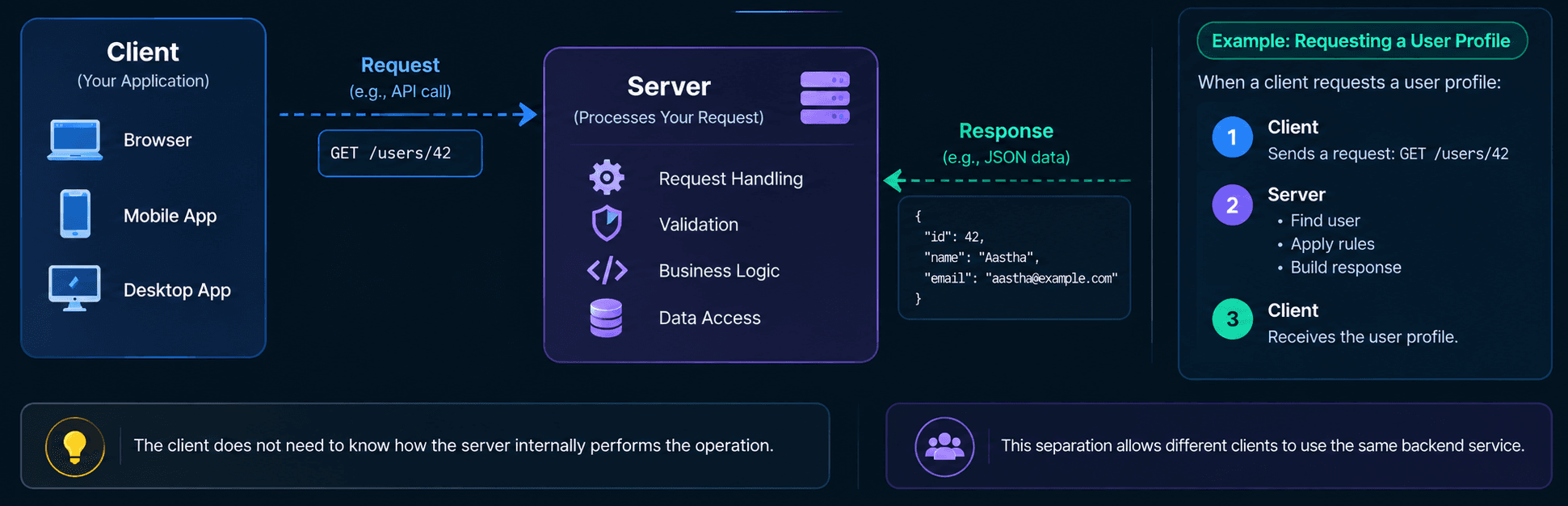
Client-server architecture is a software architecture in which a client sends a request to a server, and the server processes it and returns a response.
In Simple Terms
Core Principle
The CLIENT handles interaction and presentation; the SERVER handles business logic, processing, and shared resources.
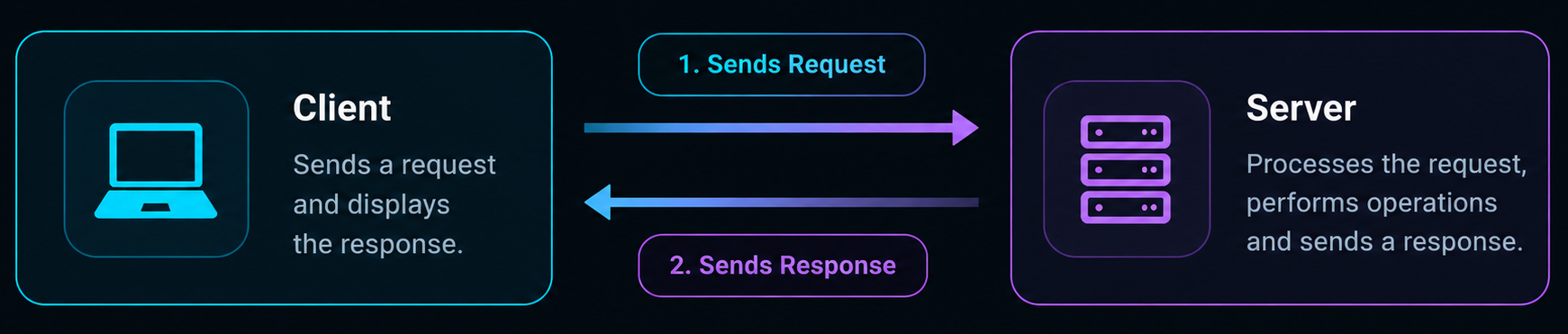
Real-world systems may include multiple clients, servers, load balancers, databases, and caching layers.
Basic Client Server Architecture

What Is a Client?
CLIENT is an application or device that initiates communication with a server by sending a request.
Examples of Clients
Clients come in many forms. Here are some common examples you interact with every day.

Web Browsers
Browsers such as Chrome, Firefox, Safari, and Edge send requests to websites and display the responses.

Mobile Applications
Mobile apps communicate with backend servers to fetch data and perform actions.
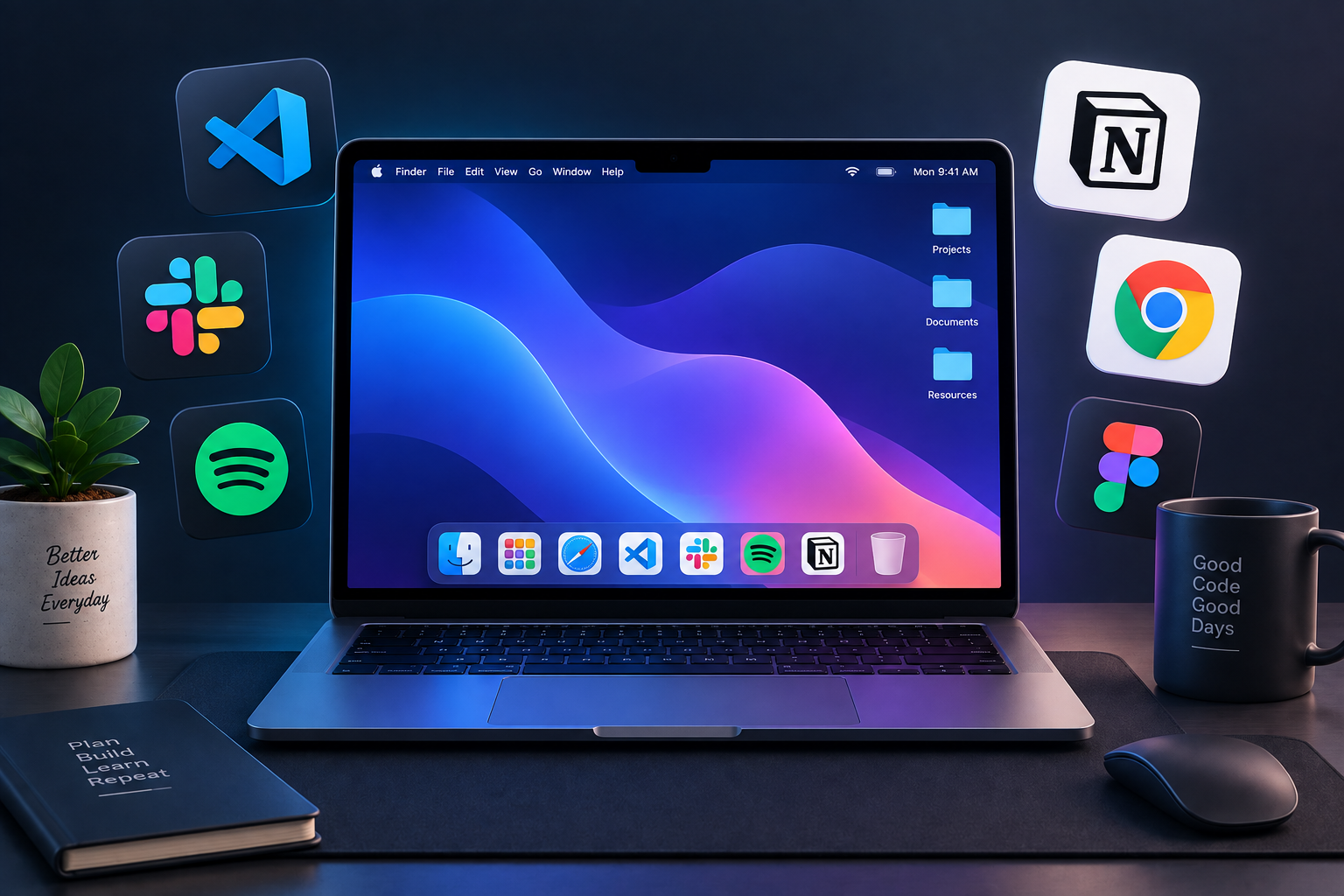
Desktop Applications
Desktop applications can communicate with remote servers to access services and data.
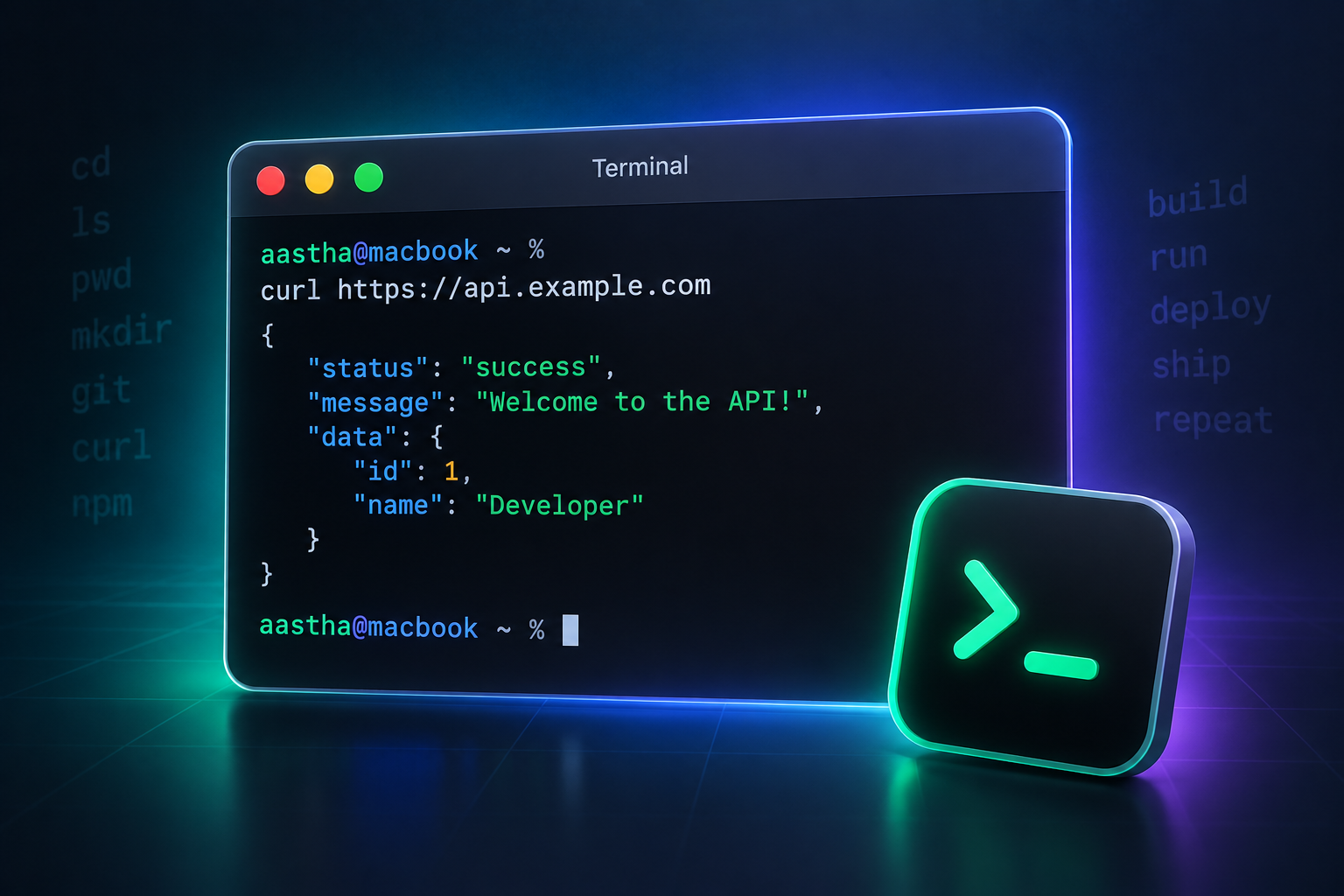
Command-Line Applications
Tools such as cURL can send requests to remote servers directly from the command line.
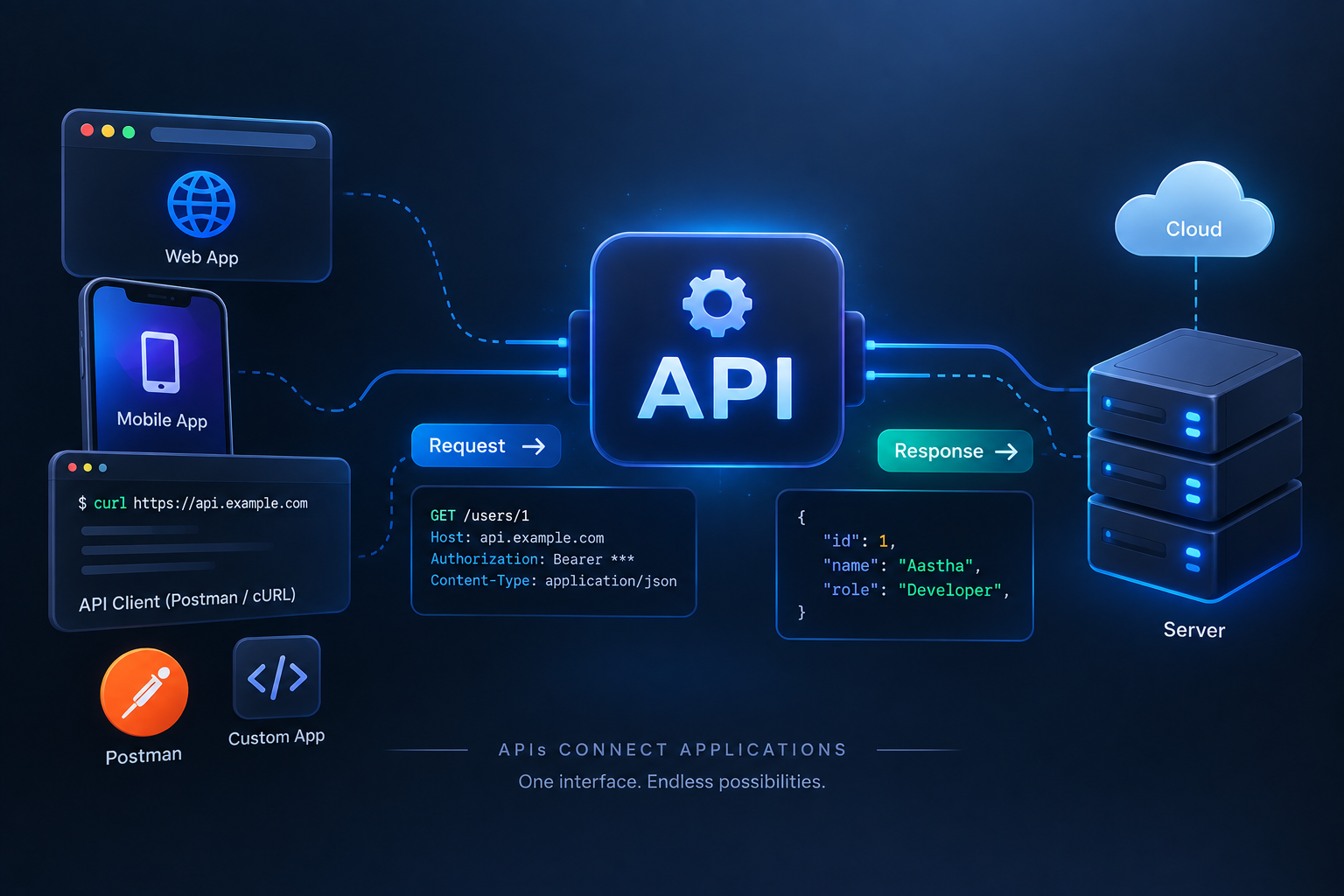
API Clients
Tools such as Postman can send API requests and help developers interact with backend services.

Smart Devices
Smart TVs, watches, speakers, and IoT devices communicate with servers over a network.
All of these clients follow the same fundamental pattern - they send a request to a server and receive a response.
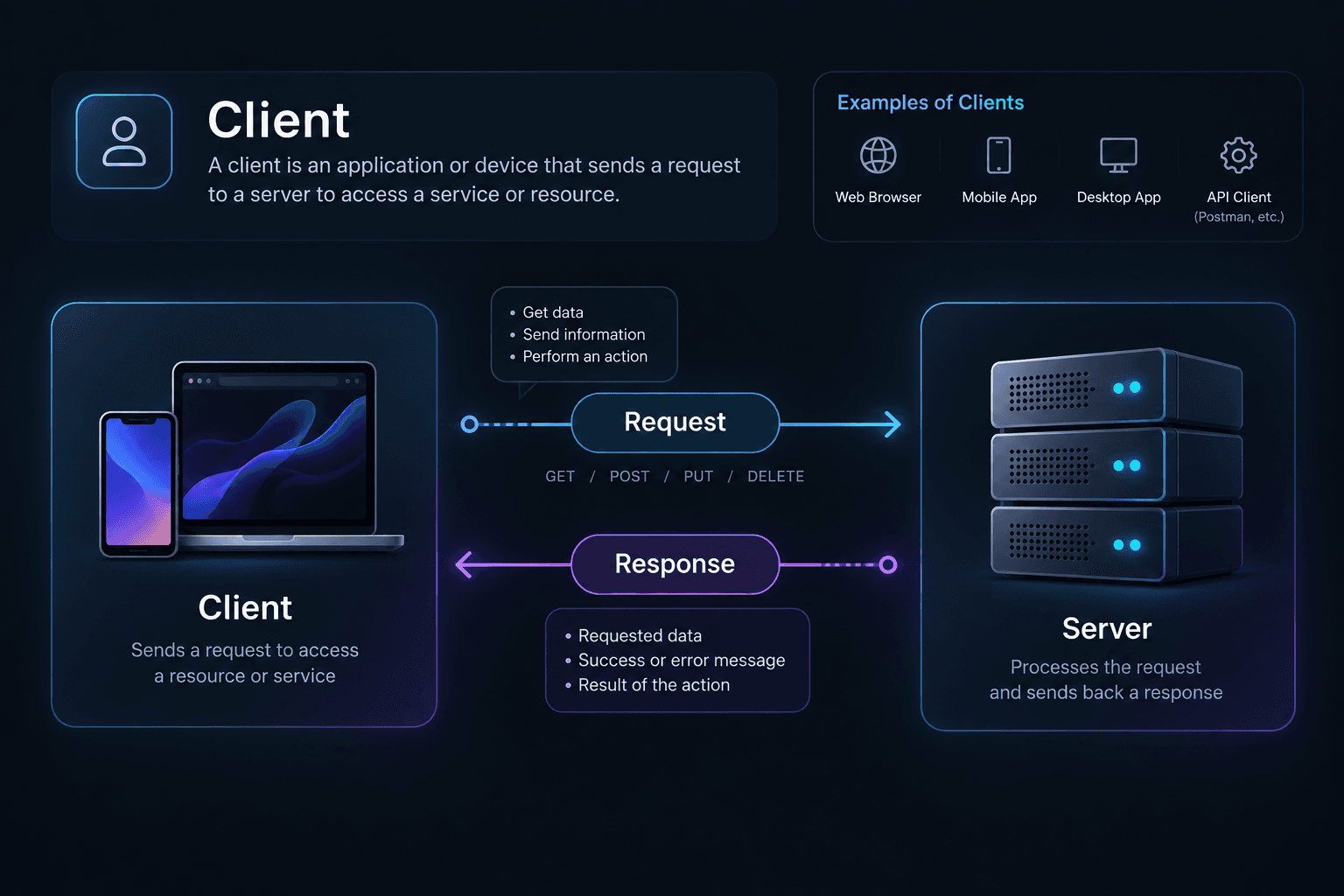
Typical Client Responsibilities
Display the user interface.
Collect user input.
Validate simple input for user experience.
Create requests.
Send requests to the server.
Receive responses.
Render the returned data.
Maintain temporary UI state.
What Is a Server?
SERVER is a computer or software system that receives requests from clients, processes them, and returns responses.
A server can be :
A process
A service
A container
A virtual machine
An application running on a physical machine
For example : How a Server Processes a Profile Request ?
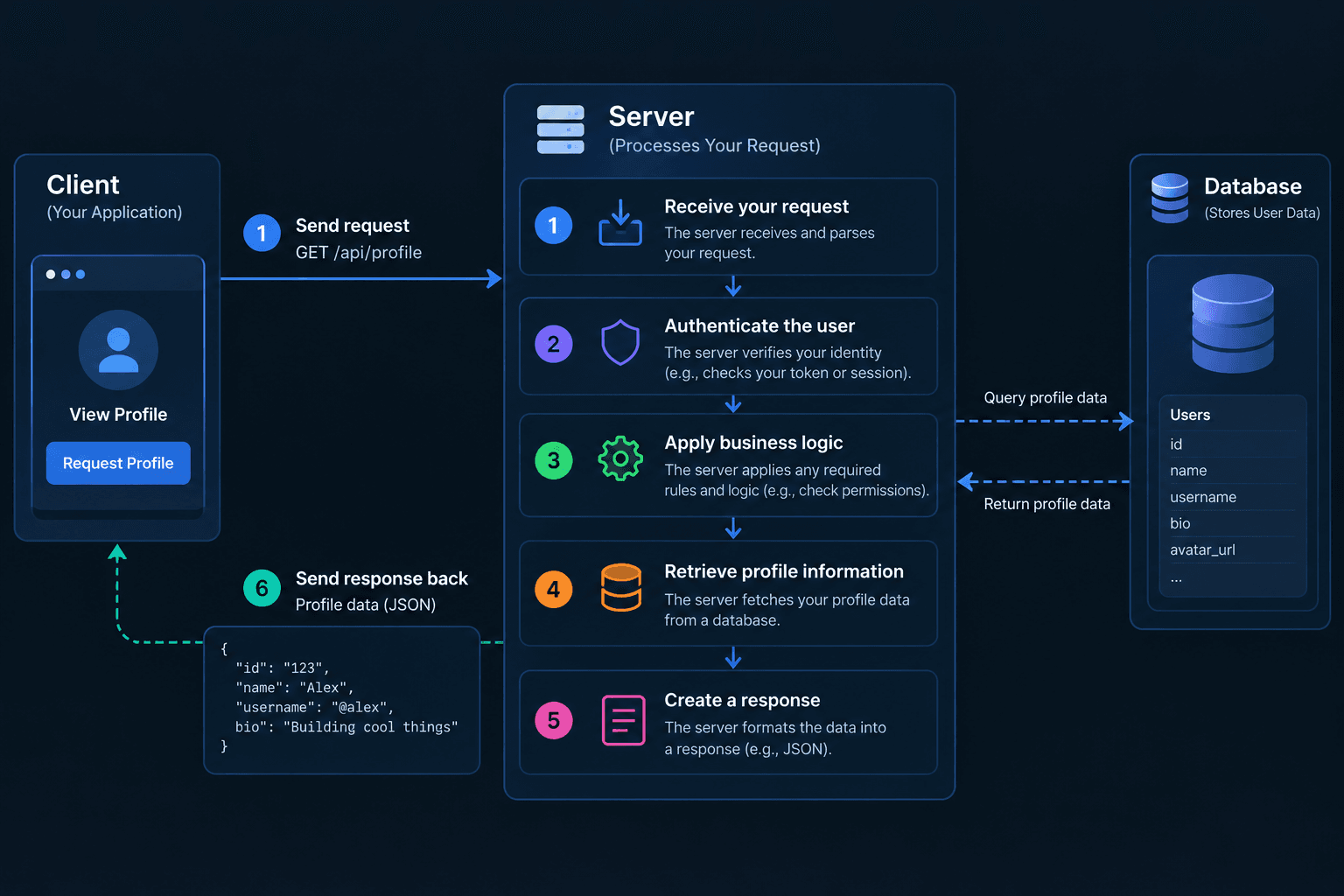
In simple terms
Key distinction
Why Do We Need a Server?
SERVER is useful when an application needs shared data, centralized business rules, authentication, authorization, or controlled access to resources.
Because the client runs in an environment that the application does not fully control. The server can enforce rules consistently for every client.
Reason | What the Server Does | Question |
|---|---|---|
Store data | Provides access to shared application data | Where should application data live? |
Security | Protects sensitive operations and data | How do we protect sensitive operations? |
Authentication | Verifies the user's identity | Who is this user? |
Authorization | Controls what the user can access | What is the user allowed to do? |
Business logic | Applies application rules | Where should business rules be enforced? |
Shared backend | Serves multiple clients | How can multiple clients use the same application? |
Heavy processing | Handles resource-intensive operations | Where should heavy processing happen? |
Consistency | Coordinates changes to shared data | How do we keep shared data consistent? |
Key Takeaway
Client-Server Architecture in Real Life
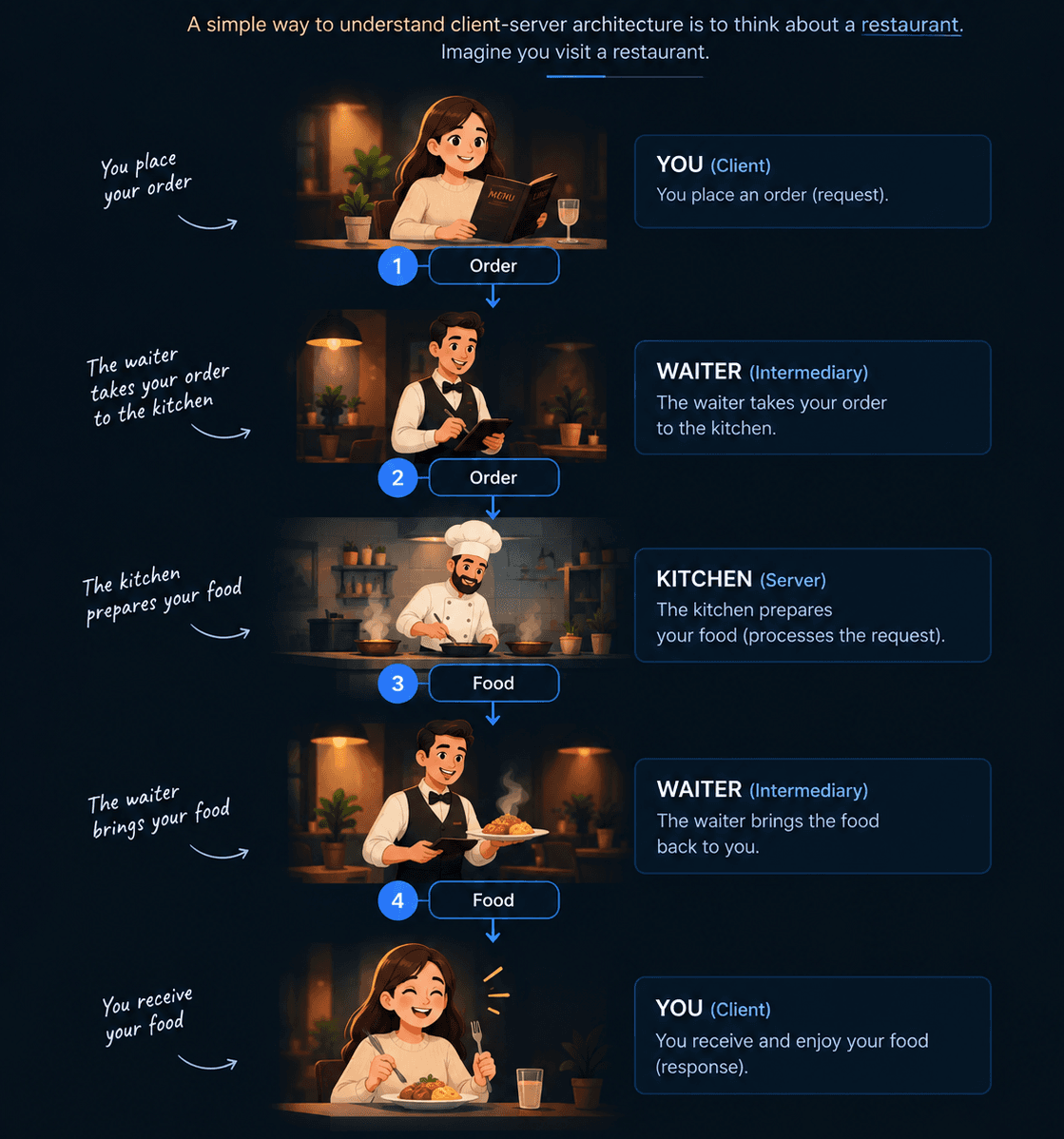
Mapping the analogy to software
Restaurant | Software |
|---|---|
| Customer | Client |
| Waiter | Communication layer |
| Kitchen | Server |
| Order | Request |
| Food | Response |
You don't normally walk into the kitchen and prepare the food yourself.
Similarly, in a typical application, the client doesn't directly perform all backend processing.
The client asks the server to perform an operation.
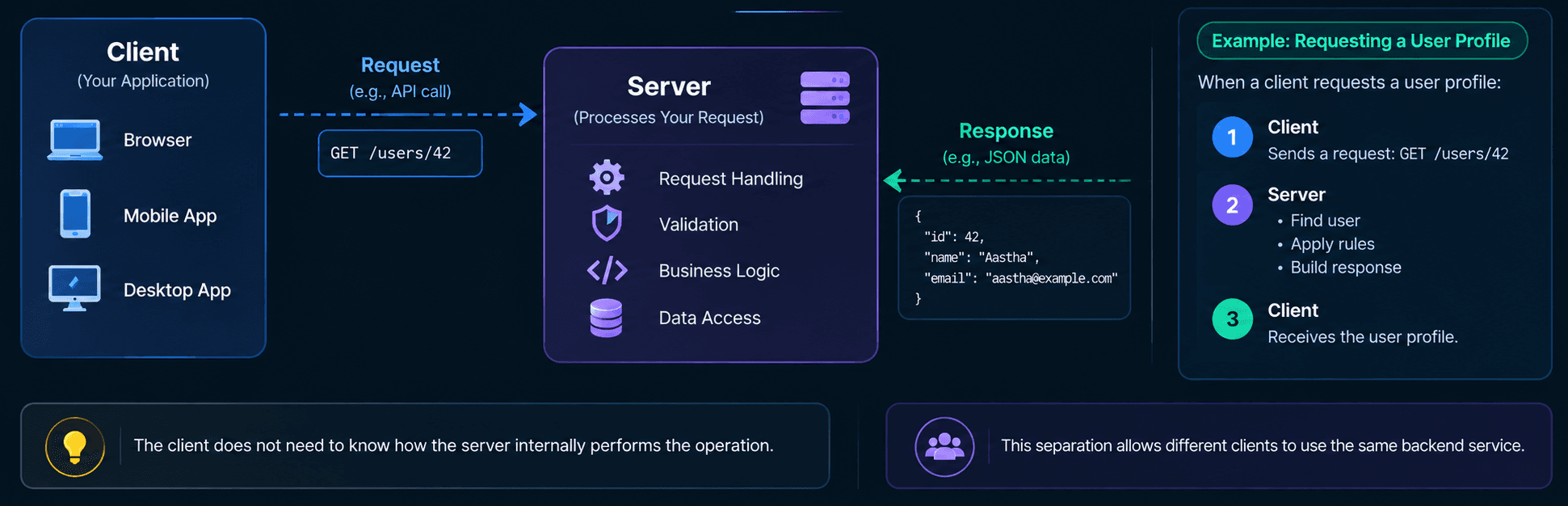
This cycle can happen thousands or millions of times in a large application.
For example:
❖ GET /products
 ❖ POST /login
 ❖ GET /profile
 ❖ POST /orders
 ❖ DELETE /cart/123
Each request asks the server to perform a particular operation.
What Is a Request & Response?
REQUEST is a message sent by a client asking a server to provide a resource or perform an operation.
RESPONSE is a message returned by the server after processing a client request.
In simple terms:
Component | Purpose |
|---|---|
Method | Describes the intended operation |
URL / Path | Identifies the target resource |
Headers | Provides additional metadata |
Query parameters | Provides filtering or input values |
Body | Carries data to the server |
Method | Typical purpose |
|---|---|
GET | Retrieve data |
POST | Create or trigger an operation |
PUT | Replace a resource |
PATCH | Partially update a resource |
DELETE | Remove a resource |
Code | Meaning |
|---|---|
2xx | Success - The request was successfully received, understood, and processed. |
3xx | Redirection - The client needs to take additional action, often by following a different URL. |
4xx | Client Error - Something is wrong with the request sent by the client. |
5xx | Server Error - The server failed to process a valid request. |
Client vs Server
Understanding the boundary between client and server is an important system design interview topic.
| Responsibility | Client | Server |
|---|---|---|
| User interface | ✓ | — |
| User interaction | ✓ | — |
| Request creation | ✓ | — |
| Response rendering | ✓ | — |
| Authentication enforcement | — | ✓ |
| Authorization enforcement | — | ✓ |
| Server-side validation | — | ✓ |
| Business rules | Limited | ✓ |
| Persistent data access | — | ✓ |
| Security-sensitive operations | — | ✓ |
Interview Questions